
25.06.2026


Mark Novak
Author
Among affiliate marketers, Dolphin Anty is widely regarded as one of the best antidetect browsers on the market. It took first place in the Affiliate Space Awards by Conversion Club and consistently ranks among the top choices in affiliate marketing communities and industry chats.


Let’s take a closer look at Dolphin Anty to see whether it truly deserves its reputation or if it’s simply overrated.
Real Browser Fingerprints Instead of Artificial Ones: The Key Difference Between Dolphin Anty and Its Competitors
The goal of any antidetect browser is to hide your real fingerprint while still looking trustworthy to websites. Dolphin Anty does both exceptionally well: it masks your digital fingerprint while maintaining a high level of trust.
The reason is simple:
- Many antidetect browsers generate fingerprint parameters almost at random.
- Dolphin Anty uses real browser fingerprints collected from actual users and selects the ones that best match your operating system and proxy configuration.
That’s why platforms like Facebook, TikTok, and others don’t see anything suspicious when you work through Dolphin Anty. To them, you look like an ordinary user. To see this in practice, launch a browser profile and open Pixelscan.net inside it.

For comparison, open Pixelscan on the same device outside the antidetect browser.

Even the browser version differs.
As you can see, using real fingerprints is fully justified. To maximise trust from major platforms, you should follow a few simple rules:
- Always use the same operating system and version as your actual device.
- Avoid changing the user agent or fingerprint parameters unless you understand browser fingerprinting fundamentals.
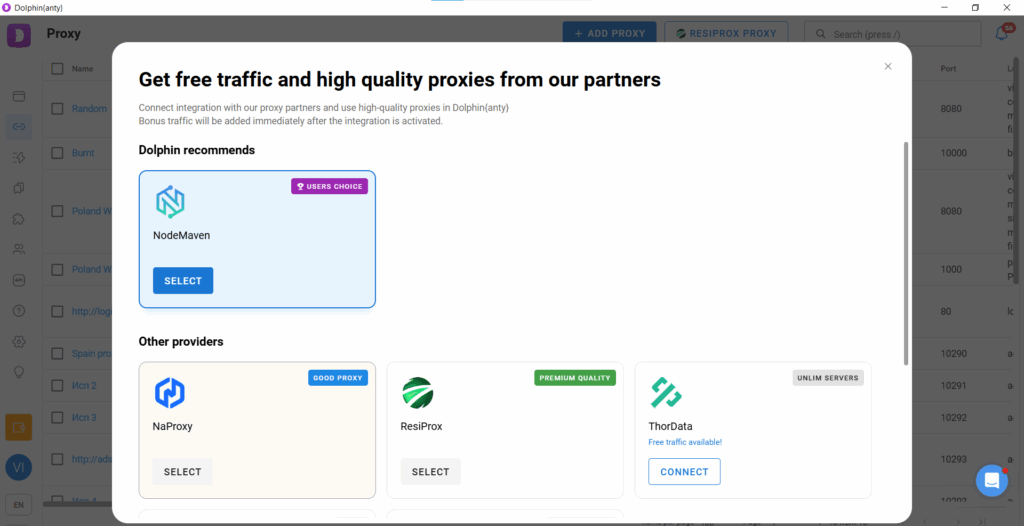
- Always use high-quality proxies. Dolphin Anty includes built-in partner proxy providers that have already been tested. If you don’t have a trusted provider of your own, it’s best to use one of them.

Creating and Managing Browser Profiles in Dolphin Anty
Most day-to-day work happens in the browser profiles section. To create a profile, click the Create button, assign a name, and select a proxy. Optionally, choose a profile type (for example, Facebook for Facebook-related work) and import cookie files if available. All other parameters, including the fingerprint and user agent, will be configured automatically by Dolphin Anty.


Once created, the profile appears in the profile list. Hover over the three-dot menu to access various actions.
The most important ones are:
- Share — send the profile to a team member or another Dolphin Anty user.
- Transfer to Dolphin Cloud — transfer an advertising account into the bulk campaign management platform.
- Script run — launch a predefined sequence of actions on the profile.
- Export and Import — save a profile locally or upload one from your device.
- Cookie Robot — automatically generates browsing history and cookies from a list of URLs.
- Copy Profile — create multiple similar profiles with unique fingerprints.
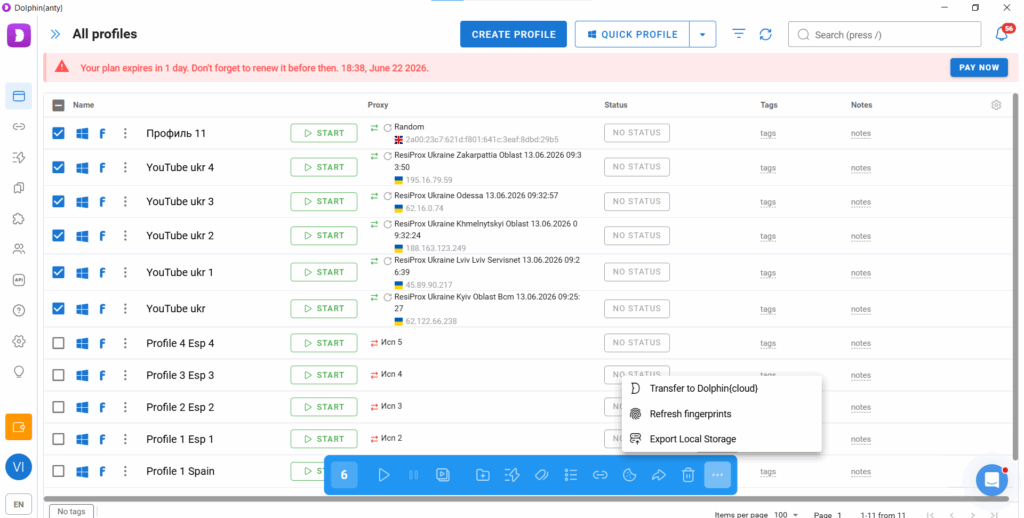

If you select several profiles at once, additional bulk actions become available:
- Add or replace proxies.
- Launch scripts.
- Open profiles through the synchronizer. The synchronizer duplicates your actions. For example, if you open Ads Manager in the master profile, it automatically opens the same page in all synchronized profiles.
- Share profiles with team members or even external Dolphin Anty users.
How to Create Dozens or Hundreds of Browser Profiles in Just Three Minutes
Dolphin Anty offers three ways to create browser profiles in bulk:
- Bulk Import
- Smart Import
- Profile Cloning
Bulk Import
Click “Create Profile” and open the “Mass Import” tab.

Download the template (an Excel spreadsheet) and fill it in.

Once completed, upload the template back into the antidetect browser. You can also copy and paste rows directly into the import field, but using a spreadsheet is generally more convenient and helps prevent mistakes.
Smart Import
The second option is Smart Import, which is even easier.
Simply upload a file containing Facebook accounts, and Dolphin Anty will automatically create the corresponding number of browser profiles. Depending on whether proxies are included, the profiles will be either fully ready or nearly ready to use.

Profile Cloning
The third option is to clone an existing profile.
Create a profile first (without adding proxies or cookies), open the three-dot menu, and select “Copy Profile.” Then specify the number of copies and leave the “Randomise Fingerprint” option enabled.

As a result, you’ll instantly get the required number of profiles, each with its own unique browser fingerprint.
How to Quickly Add Proxies to Multiple Browser Profiles?
Select the profiles and choose the “Change Proxy” option. Then tick the proxy ports you want to assign.

If you haven’t added any proxies yet, you can do so directly from the same window. Click “New Proxy”, open the “Bulk Add” tab, and paste a list of proxy ports copied from your provider.

Select the same number of proxies as browser profiles and choose the Sequential assignment method.
Within just three or four minutes, you’ll have dozens of browser profiles fully configured with working proxies and ready to use.
Key Features in Dolphin Anty
Dolphin Anty comes with a wide range of features, but the most important ones are:
- Cookie Robot;
- Scenarios;
- Synchronizer.
Cookie Robot
Cookie Robot is used to build browsing history and generate a set of cookies for a browser profile.
To use it:
- Select a profile.
- Hover over the three-dot menu.
- Click Cookie Robot.
Then paste a list of URLs. The robot will visit them and build up cookies and browsing history for the profile.

After that, click Start. Within two or three minutes, the robot will generate cookies and browsing history for the selected profile.
Cookie Robot is especially useful for account farming. If you register an account from a completely empty browser, the platform may treat it as suspicious. Having browsing history and cookies helps increase trust.
Scenarios
A scenario, or script, is a sequence of simple routine actions that the antidetect browser performs automatically without your involvement. Scripts are created in the builder as a chain of action blocks.

Once you create and save a scenario, you can run it across several profiles at once. Scripts are commonly used to automate farming, since farming involves repetitive actions such as liking posts, scrolling through the feed, clicking ads, and so on.
Synchronizer
To launch the synchronizer, select several profiles and then choose the master profile where you will work manually. The synchronizer will duplicate your actions across the other profiles.


This feature helps scale actions that cannot be fully automated without your direct involvement. For example, you can use it to set up campaigns with identical parameters across several accounts at once.
Conclusion
The philosophy behind Dolphin Anty is minimalism combined with powerful functionality. The antidetect browser is not overloaded with buttons and interface elements, and for everyday work, it is enough to know the basic set of features. That is why Dolphin Anty can be mastered in just two or three hours.
Once you explore all of its capabilities, the comfort, speed, and quality of your work can increase dramatically.
Mark Novak
Author
Similar articles by the author



Leave a comment
Thank you for your feedback!
Your review will be published after moderation.